Beckon, ⌘Tab, AltTab or Raycast: which app switcher for Mac?
An honest comparison of four ways to switch apps on a Mac, from the person who makes one of them: what each is best at, and who should use which.

I make Beckon, so take this with that in mind. But these four tools do different jobs, and most people are better off with more than one of them. Here’s how I’d choose.
⌘Tab: built in, keyboard, apps
Every Mac has it. Hold ⌘, tap Tab to step through apps in the order you last used them, let go. Switching back and forth between two apps is a single tap, which is hard to beat.
Best for: hands on the keyboard, flipping between two or three apps. Not great for: picking a specific window (there is a trick: ⌘Tab, then ↓), or anyone whose hand is on the mouse.
AltTab: free, keyboard, windows
AltTab is a free, open-source app that brings Windows-style ⌥Tab to the Mac: every window, with a thumbnail, in one row. Since it lists windows rather than apps, you land on exactly the one you want.
Best for: keyboard people who keep many windows open. If that’s you and you don’t want to pay for anything, start here.
Raycast: a launcher that does everything
Raycast replaces Spotlight with a command bar: open apps, search files, run commands and extensions, and switch windows by typing part of a name. It does far more than switching.
Best for: people who like typing commands, and opening apps you don’t use every day. For switching between the same handful of apps all day, typing a few letters is slower than a single key or a flick.
Beckon: mouse, apps and windows, at the pointer
Beckon puts your apps in a ring around the pointer: hold ⌥Space or press the middle mouse button, flick toward an app, let go. Only the direction counts, so it’s one quick movement wherever the pointer is. Reach an app and its windows fan out with thumbnails. It also takes over what the Dock does (pinned apps, folders, the Trash, the right-click menu, file drops) so you can hide the Dock for good.
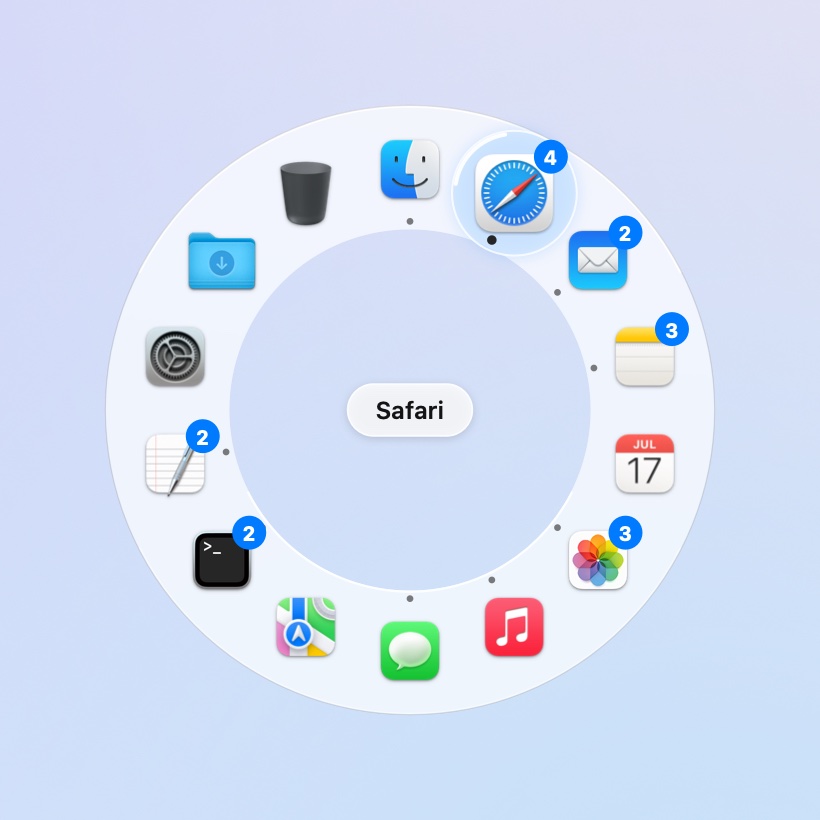
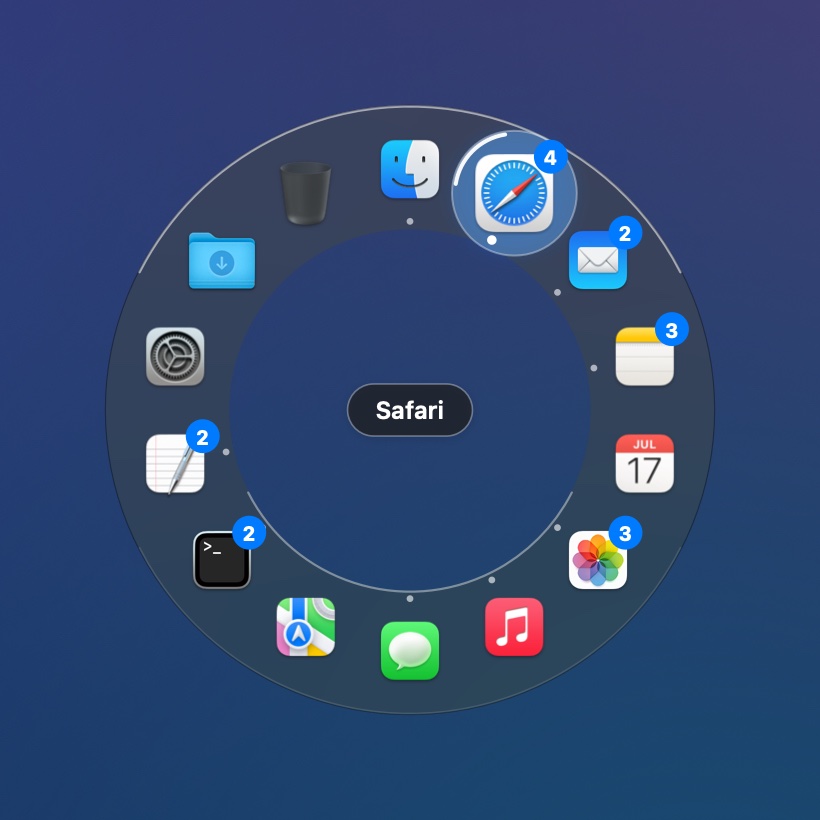
Best for: when your hand is on the mouse or trackpad, and people who want the Dock’s job done without the trip to the bottom of the screen. Not for: anyone who never touches the mouse; use AltTab or ⌘Tab.
Side by side
| ⌘Tab | AltTab | Raycast | Beckon | |
|---|---|---|---|---|
| Main input | Keyboard | Keyboard | Typing | Mouse or keyboard |
| Picks | Apps | Windows | Apps, windows, much more | Apps, then their windows |
| Window thumbnails | No | Yes | No | Yes (Pro) |
| Opens where | Centre of screen | Centre of screen | Centre of screen | Around the pointer |
| Replaces the Dock | No | No | No | Yes (Pro) |
| Price | Built in | Free | Free, paid plans | Free; Pro $19 once at launch (then $24) |
What I use
⌘Tab for flipping between two apps while I’m typing, and Beckon the rest of the time, with my Dock hidden. They don’t get in each other’s way: Beckon doesn’t touch ⌘Tab, and its ring only appears when you call it.
If you’re mostly on the mouse, try Beckon: every download starts with 14 days of Pro, and the ring for your open apps stays free after that.