Six ways to get to the right window on a Mac
Switching apps on a Mac brings back the app, not the window you meant. Six ways to go straight to a specific window, with the keyboard or the mouse.

The Mac switches between apps, not windows. Click Safari in the Dock, or ⌘Tab to it, and you get Safari’s front window, which is often not the one you wanted. If you keep a few windows of the same app open, here’s how to get straight to the right one.
1. ⌘` (Command and the key above Tab)
Cycles through the windows of the app you’re in. Quick with two windows; with four, it’s guesswork. On some keyboard layouts the key is somewhere else: it’s Move focus to next window in System Settings → Keyboard → Keyboard Shortcuts → Keyboard, where you can change it.
2. ⌘Tab, then the down arrow
Hold ⌘, press Tab until the app is selected, then press ↓ while still holding ⌘. That opens App Exposé for that app: all its windows, side by side. Click one, or use the arrow keys and Return.
3. The Window menu
Most apps list their open windows by title at the bottom of the Window menu in the menu bar. Slow, but exact when titles are clear.
4. Right-click the app in the Dock
The Dock’s menu for an app lists its windows by title, and minimized ones too. Pick one and it comes forward.
5. App Exposé and Mission Control
Swipe down with three or four fingers on a trackpad (if it’s turned on in Trackpad settings), or press ⌃↓, for the current app’s windows. Mission Control (⌃↑, or swipe up) shows every window of every app. Good when you can recognise a window but not its title.
6. Beckon: windows fan out from the app
All of the above take two steps: get to the app, then find the window. In Beckon they’re one movement. Hold ⌥Space (or press the middle mouse button), and your apps appear in a ring around the pointer. Reach an app with several windows and they fan out beyond it with live thumbnails; the one you point at grows so you can read it. Carry on to it, let go, and that exact window comes forward, with the pointer moving to it so you can scroll or click straight away.
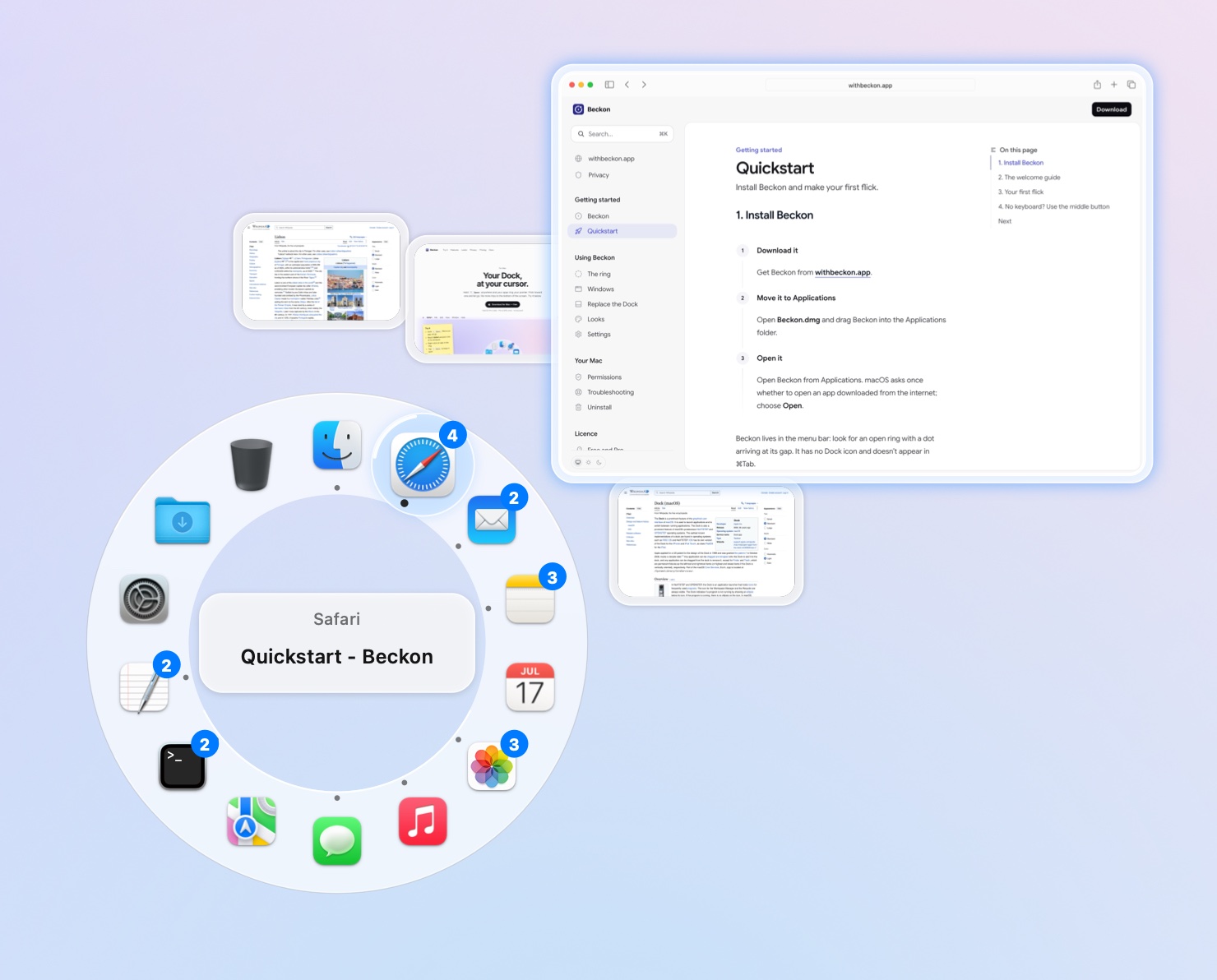
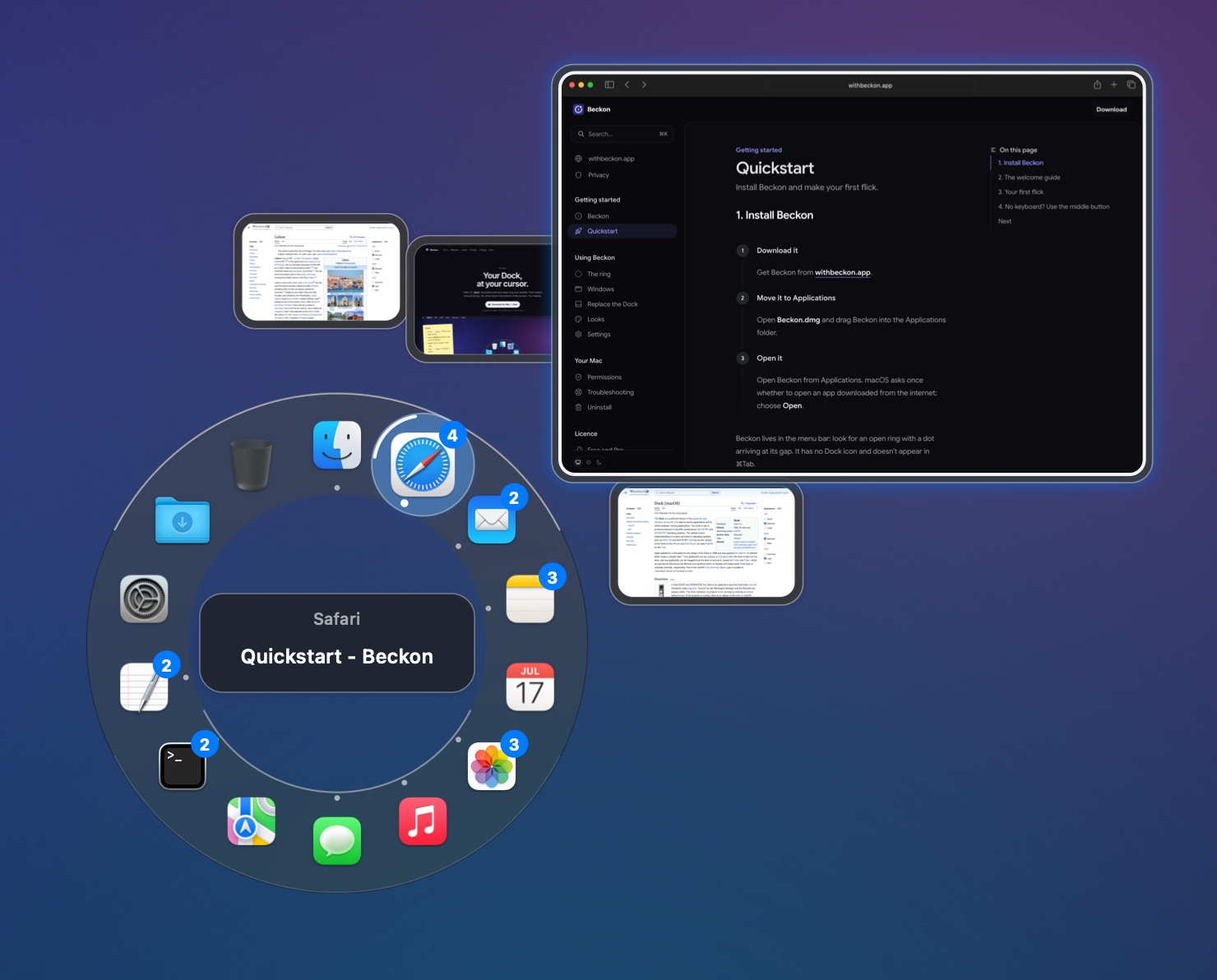
The most recent window sits straight out from the app, so the common case is one straight flick. Prefer titles? Show windows as a column instead. Minimized windows are there too, dimmed, and picking one restores it.
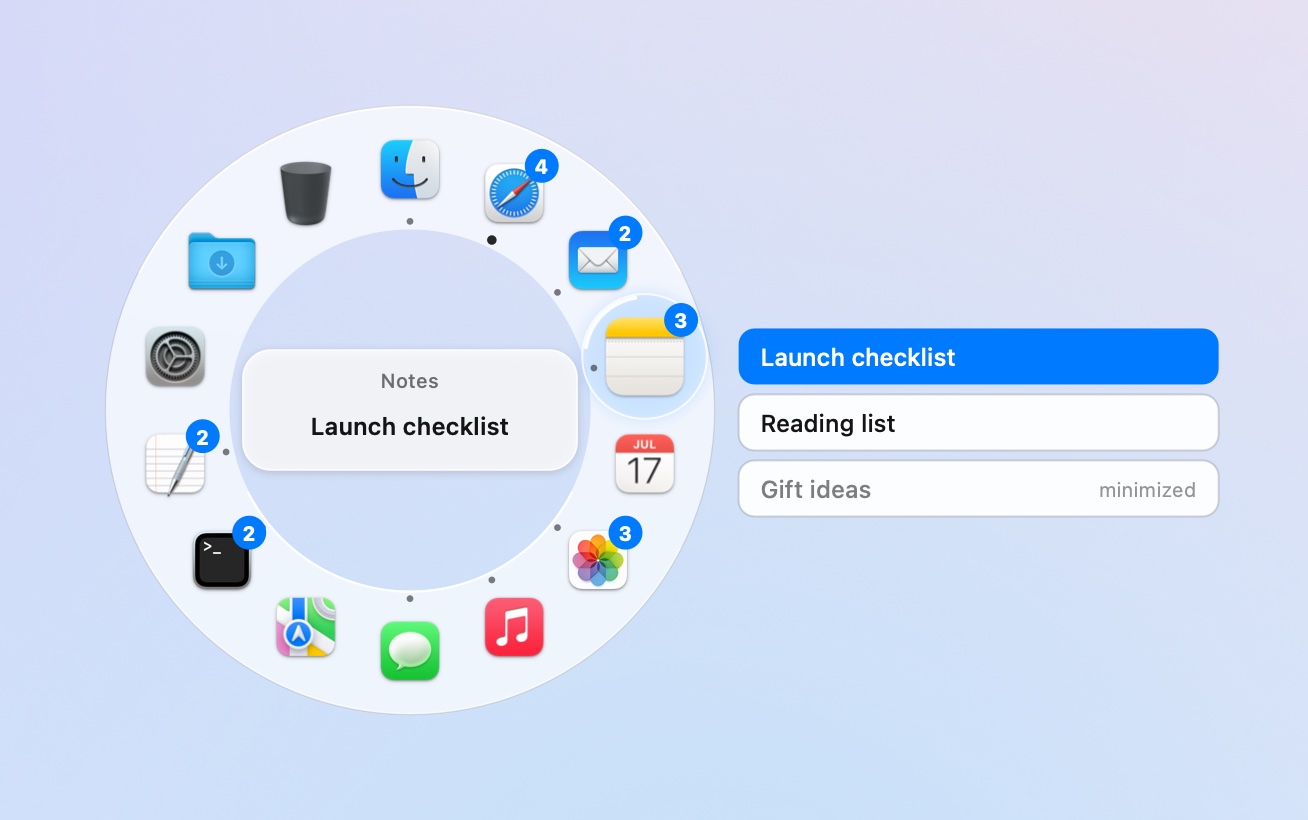
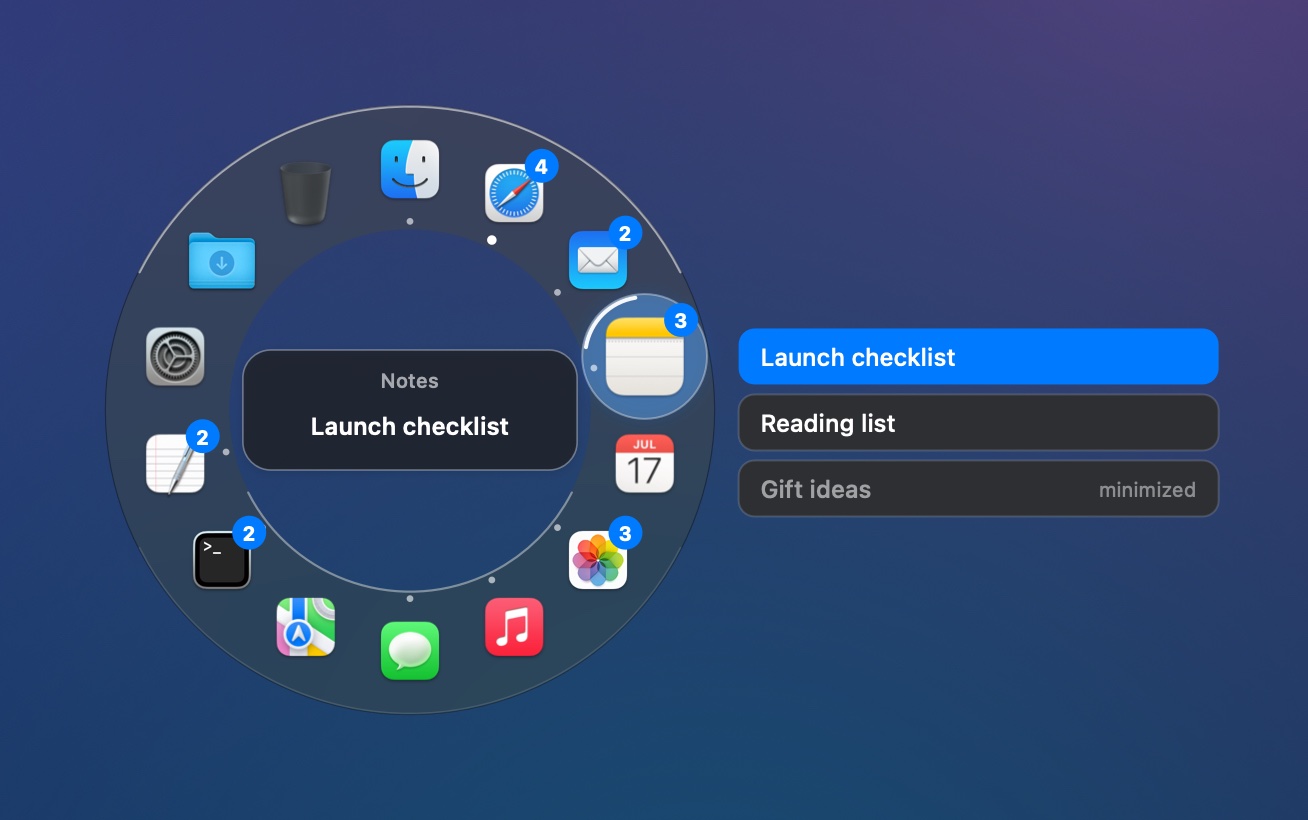
Thumbnails need the Screen Recording permission; they’re kept in memory only, never saved or sent. Without it you get titles. Windows are part of Beckon Pro ($19 once at launch (then $24)), and every download starts with 14 days of Pro.