

The trial
Every download starts with 14 days of Pro, from the first time you open Beckon. The menu bar menu shows the days left, and the ring reminds you once, three days before the end. When the trial ends, Beckon carries on as Free. It never locks.- Pro features step back to their Free version: the ring shows your open apps, windows are off, and Pro looks draw as Glass.
- If Beckon was hiding the Dock, the Dock comes back at once.
- Your settings are kept. Unlock Pro and everything returns as you left it.
Buy Beckon Pro
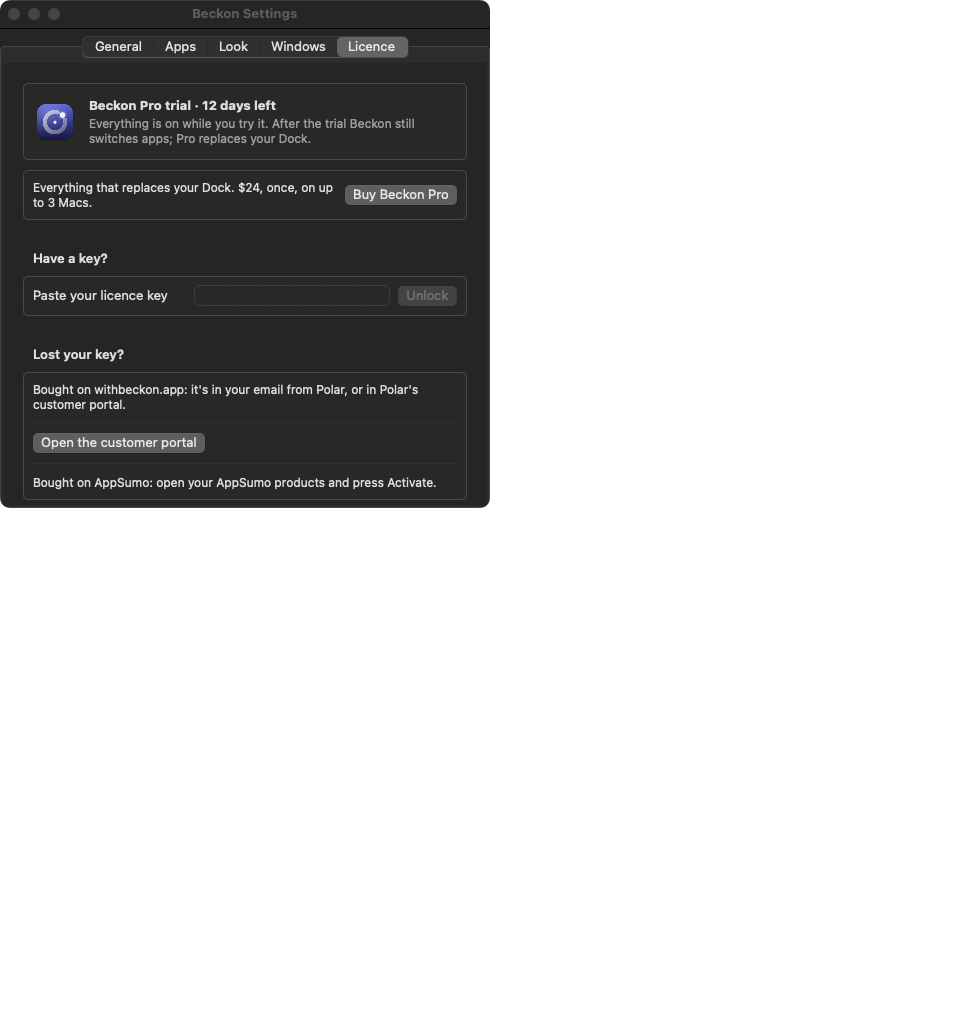
Beckon Pro is one payment, not a subscription, on up to 3 Macs, with every 1.x update. See the price at withbeckon.app. Buy it from Settings → Licence → Buy Beckon Pro, the menu bar’s Unlock Beckon Pro…, or withbeckon.app. There’s no account: Polar, our payment provider, emails you a licence key.Unlock Pro with your key
1
Copy the key
From the email from Polar (it starts with
BECKON-), or from the AppSumo page you were sent
to.2
Open Settings → Licence
Or menu bar icon → Unlock Beckon Pro…
3
Paste it and click Unlock
Settings shows Beckon Pro with the end of your key.
Use it on another Mac
One key unlocks up to 3 Macs. To move it, open Settings → Licence on the Mac you’re leaving and click Deactivate on this Mac, then unlock on the new one. If all 3 slots are in use, Beckon says so when you try.Lost your key?
- Bought on withbeckon.app: it’s in your email from Polar. Or open Find my licence (Polar’s customer portal) and sign in with the email you paid with. Settings → Licence has the same link.
- Bought on AppSumo: see AppSumo.